Choosing the right display can make a major difference in color accuracy, timeline visibility, and overall editing comfort. The best computer monitors for video editing balance resolution, panel quality, and reliable calibration support.
Below, we’ve focused on options that help editors work more precisely in 2026, from affordable QHD picks to premium 4K USB-C displays with wide color coverage.
Best 10 Computer Monitors for Video Editing Picks for 2026
ProArt Pick
ASUS ProArt PA279CV 27 Inch 4K USB-C Monitor
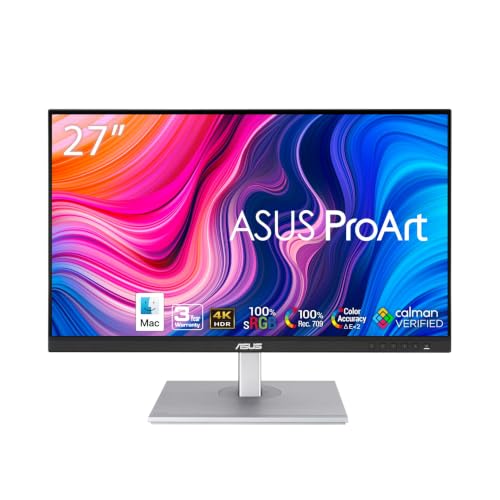
- Calman Verified with Delta E < 2 accuracy
- 100% sRGB and 100% Rec. 709 coverage
- USB-C with 65W Power Delivery and USB hub
Best For: Editors wanting accurate color and simple USB-C connectivity
Premium Docking Choice
Dell UltraSharp U2723QE 27 4K USB-C Monitor

- 4K 27-inch panel with 400-nit brightness
- USB-C up to 90W plus Ethernet and many ports
- VESA DisplayHDR 400 and anti-glare coating
Best For: Editors who want a 4K monitor with docking-style connectivity
Value Editing Monitor
ASUS ProArt PA278QV 27 Inch QHD Monitor

- Calman Verified with Delta E < 2 calibration
- 100% sRGB and 100% Rec. 709 coverage
- 27-inch QHD IPS panel with many inputs
Best For: Editors who want accurate color in a QHD setup
Large-Screen Workspace
Dell UltraSharp U3223QE 31.5 4K Monitor
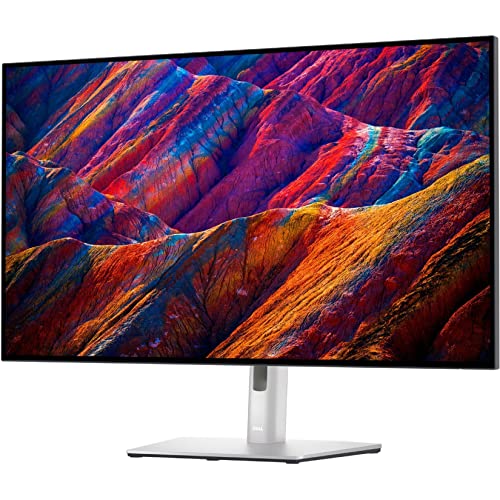
- 31.5-inch 4K UHD panel for more workspace
- 400-nit brightness with HDMI support
- VESA mount compatible for flexible setups
Best For: Editors who need a larger 4K canvas for multitasking
Color-Accurate Workhorse
ASUS ProArt PA248QV 24 Inch WUXGA Monitor
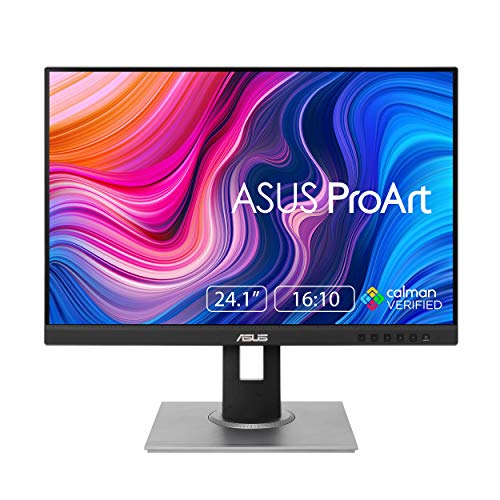
- 100% sRGB/Rec.709 with DeltaE < 2
- 1920 x 1200 IPS panel with Calman Verified tuning
- 5-year warranty and fully adjustable stand
Best For: Editors who prioritize color accuracy and ergonomic comfort
4K Creator Display
LG 27UP850K-W 27-inch Ultrafine Monitor

- 27-inch 4K UHD panel with sharp detail
- Up to 95% DCI-P3 and DisplayHDR 400
- USB-C with up to 90W power delivery
Best For: Creators wanting 4K detail and flexible USB-C connectivity
Fast 4K Editing Pick

- 4K UHD IPS panel with 99% sRGB
- 120Hz refresh and FreeSync Premium
- USB-C with up to 65W power delivery
Best For: Editors who want 4K sharpness plus smoother motion
Color-Accurate 4K Creator Pick
ASUS ProArt PA279CRV 27 Inch 4K USB-C Monitor

- 99% DCI-P3 and 99% Adobe RGB coverage
- Factory calibrated to Delta E < 2
- USB-C with 96W power delivery
Best For: Editors who need accurate color and clean USB-C setup
Versatile USB-C Workspace Choice
Dell U2720Q UltraSharp 27-Inch 4K Monitor

- 27-inch 4K UHD IPS display
- USB-C, HDMI, and DisplayPort support
- Tilt, swivel, pivot, and VESA compatibility
Best For: Editors wanting a flexible 4K monitor for everyday editing
ProArt Pick – ASUS ProArt PA279CV 27 Inch 4K USB-C Monitor
If you’re comparing computer monitors for video editing, the ASUS ProArt PA279CV is built around accurate color and a clean 4K workspace. Its Calman Verified factory calibration, Delta E < 2 accuracy, and 100% sRGB / Rec. 709 coverage make it a strong fit for color-sensitive timelines, while USB-C with 65W power delivery keeps a laptop-based editing desk simple.
Best For: Editors who want a color-accurate 27-inch 4K monitor with straightforward USB-C connectivity.
Pros:
- Calman Verified with factory-calibrated Delta E < 2 accuracy.
- 100% sRGB and 100% Rec. 709 color coverage for creative work.
- USB-C with 65W Power Delivery plus DisplayPort, HDMI, and USB hub.
- 5-year warranty adds long-term peace of mind.
Cons:
- Listed notes contain a conflicting 1920 x 1080 spec, so verify the exact panel details.
- 60 Hz class refresh is focused on editing, not motion-heavy work.
The PA279CV is a practical choice if your editing priority is dependable color and a tidy single-cable setup. It looks especially appealing for creators who want pro features without moving up to a larger or more expensive display.
Premium Docking Choice – Dell UltraSharp U2723QE 27 4K USB-C Monitor
Among computer monitors for video editing, the Dell UltraSharp U2723QE stands out if you want a sharp 4K panel with lots of connectivity. The 27-inch screen, 400-nit brightness, and 100% color gamut spec support detailed viewing, while USB-C with up to 90W power delivery and Ethernet make it feel like a true desktop hub.
Best For: Editors who want a 4K monitor that doubles as a well-connected docking station.
Pros:
- 4K 3840 x 2160 resolution on a 27-inch display.
- USB-C upstream with up to 90W power delivery.
- Includes HDMI, DisplayPort, USB ports, and LAN (RJ-45).
- 400 nits brightness and VESA DisplayHDR 400 support.
Cons:
- 60 Hz refresh rate is standard, not optimized for high-frame-rate use.
- Notes emphasize office and desktop use more than color-calibration features.
This is a strong pick for editors who want one monitor to handle both image work and daily desk connectivity. It’s especially useful when you need a clean workspace with a laptop, peripherals, and wired networking.
Value Editing Monitor – ASUS ProArt PA278QV 27 Inch QHD Monitor
If you want computer monitors for video editing without jumping to 4K, the ASUS ProArt PA278QV is a sensible 27-inch QHD option. It offers factory-calibrated Delta E < 2 accuracy, 100% sRGB and Rec. 709 coverage, and a 2560 x 1440 IPS panel that balances clarity with a lighter system load than ultra-high-resolution displays.
Best For: Editors who prefer a color-accurate QHD monitor with strong ergonomics and broad input support.
Pros:
- Calman Verified with Delta E < 2 factory calibration.
- 100% sRGB and 100% Rec. 709 color gamut.
- 27-inch 2560 x 1440 IPS panel with wide viewing angles.
- Includes HDMI, DisplayPort, Mini DP, DVI-D, and USB hub.
Cons:
- 1440p resolution is less detailed than 4K alternatives.
- Brightness is listed at 350 nits, which is solid but not class-leading.
The PA278QV makes sense if you want reliable color accuracy and a comfortable workstation more than maximum pixel density. It’s a practical editing display for creators who value consistency, flexibility, and long-term support.
Large-Screen Workspace – Dell UltraSharp U3223QE 31.5 4K Monitor
For editors who need more room on screen, this Dell UltraSharp is a roomy option among computer monitors for video editing. Its 31.5-inch 4K UHD panel gives you ample desktop space, and the 400-nit brightness plus HDMI support make it a flexible fit for a mixed creative and office workflow.
Best For: Video editors who want a larger 4K canvas for timelines, bins, and multitasking.
Pros:
- 31.5-inch 4K UHD display provides lots of workspace.
- 400-nit brightness helps content look vivid.
- HDMI connectivity works with a range of devices.
- VESA mount compatibility supports flexible setup choices.
Cons:
- Notes do not list the full connectivity and color specs available on some other UltraSharp models.
- 60 Hz-class use and general office positioning may matter more than editing-specific features.
If your workflow benefits from extra screen real estate, the U3223QE is easy to justify. It’s a good match for editors who want a larger 4K panel for managing timelines, footage, and other desktop tasks at once.
Color-Accurate Workhorse – ASUS ProArt PA248QV 24 Inch WUXGA Monitor
If you want computer monitors for video editing that prioritize accuracy over extras, the ASUS ProArt PA248QV is a practical pick. Its 100% sRGB/Rec.709 coverage, DeltaE < 2 calibration, and Calman Verified status make it suited to color-critical timelines, while the 16:10 WUXGA panel gives you a bit more vertical space for editing tools and preview windows.
Best For: Editors who want dependable color accuracy, a compact 24-inch footprint, and ergonomic comfort for long sessions.
Pros:
- 100% sRGB/Rec.709 coverage with DeltaE < 2 for accurate color reproduction
- 1920 x 1200 WUXGA resolution and IPS panel for sharp, consistent viewing
- Calman Verified and includes an extended 5-year warranty
- Tilt, pivot, swivel, and height adjustment help with comfortable setup
Cons:
- 24-inch 1080p-class workspace is smaller than 27-inch 4K alternatives
- Not aimed at HDR-heavy workflows or high-refresh gaming
- Connectivity is solid, but not as modern as USB-C-focused monitors
For editors who care most about faithful color and a straightforward professional layout, this ASUS ProArt model covers the essentials well. It is especially appealing if you value accuracy, ergonomic flexibility, and a monitor that stays focused on editing work rather than flashy features.
4K Creator Display – LG 27UP850K-W 27-inch Ultrafine Monitor
The LG 27UP850K-W is a strong choice for computer monitors for video editing when you want 4K detail and broad color support in a clean 27-inch format. Its 3840 x 2160 resolution, up to 95% DCI-P3 coverage, and DisplayHDR 400 support make it a versatile fit for creators who want crisp footage review and a wider color range.
Best For: Creators who want a sharp 4K panel with strong color coverage, USB-C convenience, and extra screen flexibility.
Pros:
- 27-inch 4K UHD resolution provides plenty of workspace and sharp image detail
- Up to 95% DCI-P3 plus HDR10 and DisplayHDR 400 support for richer color
- USB-C with up to 90W power delivery reduces cable clutter
- Ergonomic stand and the Switch app add practical workflow flexibility
Cons:
- 60Hz refresh rate is more work-focused than fast-motion oriented
- 1-year parts and labor warranty is shorter than some pro monitors
- Built-in speakers are convenient, but not a substitute for dedicated audio gear
This LG model balances resolution, color, and connectivity in a way that suits many editing setups. If you want a 4K monitor that can handle both creative work and general use without feeling overcomplicated, it is an easy one to consider.
Fast 4K Editing Pick – Dell 27 Monitor S2725QC
The Dell S2725QC is a well-rounded option among computer monitors for video editing if you also want smoother motion and a tidy desk setup. It combines 4K resolution with 99% sRGB, IPS color consistency, and USB-C connectivity, while the 120Hz refresh rate and FreeSync Premium add extra fluidity for timelines, previews, and general use.
Best For: Editors who want a sharp 4K display with faster refresh, color accuracy, and a single-cable USB-C setup.
Pros:
- 4K UHD resolution with 99% sRGB for detailed, vivid image work
- 120Hz refresh rate and FreeSync Premium help keep motion smooth
- USB-C with up to 65W power delivery simplifies connectivity
- ComfortView Plus, height/pivot/swivel/tilt adjustment, and anti-glare support long sessions
Cons:
- 99% sRGB is strong, but not a wider-gamut spec like DCI-P3
- Brightness is moderate at 350 nits compared with some creator-focused displays
- Designed as a general-purpose 4K monitor, not a dedicated reference display
For editors who want a balance of sharpness, speed, and everyday practicality, this Dell is compelling. It stands out when you want a cleaner workspace and a display that feels responsive without sacrificing the essentials for editing.
Color-Accurate 4K Creator Pick – ASUS ProArt PA279CRV 27 Inch 4K USB-C Monitor
If you want computer monitors for video editing, the ASUS ProArt PA279CRV is built around color accuracy and a sharp 27-inch 4K canvas. Its factory calibration, wide DCI-P3 and Adobe RGB coverage, and USB-C connectivity make it a practical fit for editors who need reliable image detail and streamlined desk setup.
Best For: Video editors and creators who want accurate color, 4K detail, and one-cable USB-C convenience.
Pros:
- 27-inch 4K IPS panel with wide viewing angles for detailed timeline work and preview accuracy
- 99% DCI-P3 and 99% Adobe RGB coverage for strong color reproduction
- Factory pre-calibrated with Calman verification and Delta E < 2 accuracy
- USB-C with 96W power delivery plus DisplayPort, HDMI, and USB hub support
Cons:
- Focused on professional accuracy rather than gaming-style high refresh features
- 27-inch size may feel compact for editors who prefer a larger screen
- Premium feature set may be more than casual users need
This is the most purpose-built option in the group for editing work where color confidence matters. The combination of factory calibration, broad gamut support, and ergonomic adjustability makes it easy to recommend for a creator-first workstation.
Budget 4K Editing Value – Sceptre Prime 27-Inch 4K IPS Monitor
For buyers comparing computer monitors for video editing on a tighter budget, the Sceptre Prime delivers a 27-inch 4K IPS panel with 100% sRGB coverage and a matte finish. It is a straightforward option if you want sharp UHD resolution and broad viewing angles without stepping into a higher-priced professional model.
Best For: Budget-conscious editors who want 4K resolution, IPS viewing angles, and basic color consistency.
Pros:
- 27-inch 4K UHD resolution for sharp image detail
- IPS panel for consistent color and visibility from multiple angles
- 100% sRGB coverage for solid standard color reproduction
- DisplayPort and HDMI connectivity plus built-in speakers
Cons:
- Not positioned with professional calibration or wide-gamut specs
- Built-in speakers are included, but audio quality is not specified
- 1-year warranty is shorter than some pro-focused alternatives
This model makes sense if your editing workflow prioritizes resolution and IPS basics over advanced creator features. It offers a practical 4K workspace for general editing tasks, but it is less specialized than pro-calibrated displays.
Versatile USB-C Workspace Choice – Dell U2720Q UltraSharp 27-Inch 4K Monitor
The Dell U2720Q UltraSharp is a strong all-around choice for computer monitors for video editing when you want a 27-inch 4K display with flexible connectivity. Its USB-C, HDMI, and DisplayPort inputs, plus IPS panel and anti-glare finish, make it a practical monitor for long editing sessions and mixed-device work.
Best For: Editors who want a versatile 4K monitor with USB-C and comfortable ergonomic adjustment.
Pros:
- 27-inch 4K UHD resolution for detailed editing and preview work
- IPS panel with anti-glare coating for comfortable viewing
- USB-C, HDMI, and DisplayPort connections for flexible setup
- Tilt, swivel, and pivot adjustments plus VESA compatibility
Cons:
- No supplied notes mention wide-gamut coverage or factory calibration
- Positioning appears more general-purpose than color-critical pro editing
- Primary strengths are flexibility and ergonomics rather than creator-specific extras
For editors who want a dependable 4K workspace without overcomplicating the spec sheet, this Dell stands out as the most balanced option. It combines practical connectivity and adjustability with the clarity of a 27-inch UHD IPS display.
How We Picked the Best Computer Monitors for Video Editing
For Computer Monitors for Video Editing, we prioritized color accuracy, panel quality, resolution, screen size, and connectivity that fits modern editing setups. We also looked for practical features such as USB-C, ergonomic stands, and strong factory tuning, since these matter in day-to-day workflow.
We favored models that support common editing needs: sharp text and timelines, consistent viewing angles, and enough color space coverage for content work in sRGB and broader creative workflows.
Quick Comparison
In general, 27-inch 4K monitors are the sweet spot for most editors because they combine detail and usable screen space without overwhelming a desk. 32-inch 4K models give you more room for timelines, while 1440p options can be a smart value choice for simpler projects or secondary displays.
If you work on a MacBook or a USB-C laptop, look for single-cable charging and video input. If your workload is color-critical, prioritize IPS panels with strong factory calibration and wide gamut support over gaming-first features.
Key Buying Factors for Computer Monitors for Video Editing
Resolution and Screen Size
4K is the best all-around choice for detailed editing, especially on 27-inch and 32-inch screens. A 1440p monitor can still work well for budget-conscious buyers, but it offers less room for high-resolution footage and interface panels.
Color Accuracy and Gamut
Look for excellent sRGB coverage as a baseline, and consider wider gamuts like Adobe RGB or DCI-P3 if you deliver for print, cinema, or color-managed workflows. Factory calibration and low Delta E claims are useful indicators, though they are not a substitute for proper calibration tools.
Panel Type and Viewing Angles
IPS panels are generally the safest choice because they deliver stable colors and wide viewing angles. That consistency matters when you’re reviewing footage, grading color, or sharing the screen with clients.
Connectivity and Ergonomics
USB-C can simplify a laptop-based workstation, while HDMI and DisplayPort remain important for desktop rigs and multiple source devices. Height, tilt, swivel, and pivot adjustments help reduce strain during long edits.
Who Should Buy Which Computer Monitors for Video Editing?
If you want the best balance of clarity and workflow flexibility, choose a 27-inch 4K IPS model. If you need more desktop space for complex timelines, a 32-inch 4K display is a strong upgrade. If you’re editing on a tighter budget, a solid 1440p professional monitor can still deliver dependable results.
Creators working across laptops and desktops should lean toward USB-C models, while Mac users may prefer displays tuned for seamless compatibility. For everyday editing, the best choice is usually the monitor that gives you accurate color first, then enough screen space to work efficiently.