The right SDI converter can make cameras, monitors, switchers, recorders, and legacy displays work together without rebuilding your entire video setup. This roundup covers practical options for SDI-to-HDMI, HDMI-to-SDI, analog conversion, distribution, scaling, and audio handling.
Whether you need a compact field adapter or a more capable studio utility, compare signal support, connector types, power requirements, and workflow features before buying.
Best 10 Sdi Converters Picks for 2026
Best Bi-Directional Pick
Blackmagic Micro Converter SDI/HDMI

- Bidirectional SDI and HDMI conversion
- Supports SD, HD, and 3G-SDI
- Includes international power adapters
Best For: Portable mixed-format video setups
Best Multi-Display Option
SDI to VGA, AV, and SDI Converter
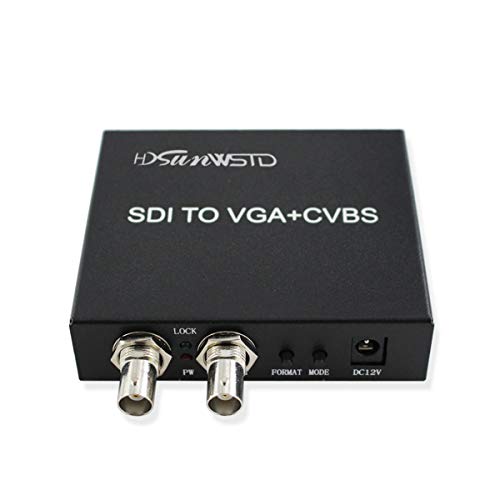
- Accepts SD, HD, and 3G-SDI
- Outputs SDI, VGA, and AV
- Supports signal distribution and extension
Best For: Mixed-display installations
Best Format-Conversion Pick
Blackmagic Mini UpDownCross HD

- Up, down, and cross-converts SDI formats
- Automatic SD, HD, and 3G-SDI detection
- Includes reference input and two SDI outputs
Best For: SDI format conversion workflows
Best SDI-to-HDMI Value
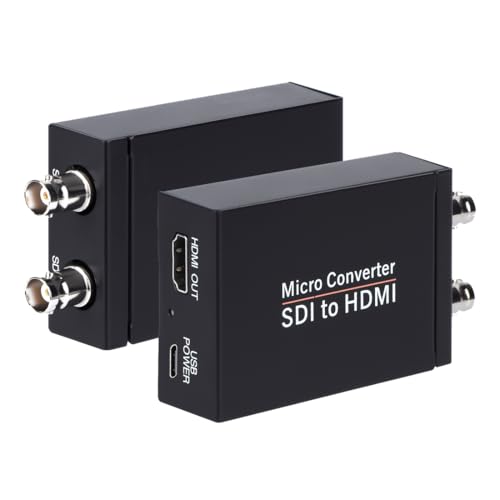
- Converts 3G, HD, and SD-SDI to HDMI
- Includes SDI loopout and audio de-embedding
- Supports long SDI cable runs
Best For: Camera monitoring and HDMI display setups
Signal Distribution Pick
Mini Converter SDI Distribution

- Distributes one SDI input to eight outputs
- Supports SD, HD, and 3G-SDI
- Handles embedded audio and ASI
Best For: Multi-device SDI signal distribution
HDMI Display Pick

- Converts SDI to HDMI up to 1080p
- Includes SDI loop out
- Supports SD, HD, and 3G-SDI
Best For: Connecting SDI cameras to HDMI displays
Analog Output Pick

- Converts SDI video to analog output
- De-embeds SDI audio
- Offers analog and AES/EBU audio modes
Best For: SDI-to-analog video and audio integration
Compact LUT Monitoring
Micro Converter SDI to HDMI 12G
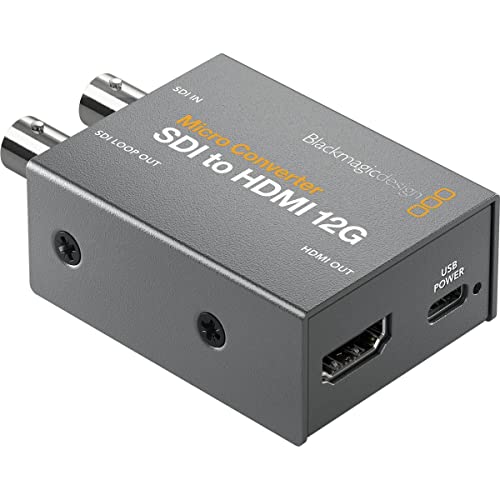
- 33-point 3D LUT support
- LUT output through SDI loop
- Compact metal construction
Best For: Color-calibrated SDI monitoring
SDI Audio Extraction
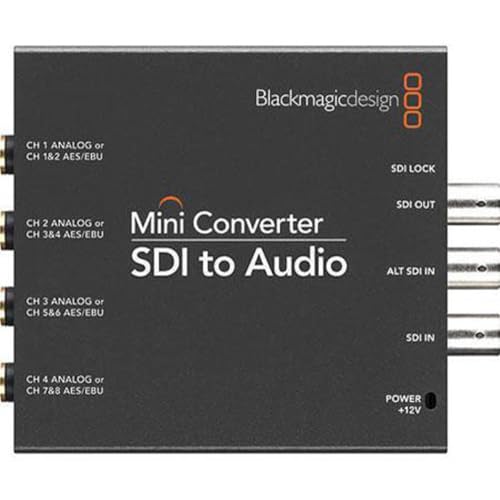
- Four-channel audio conversion
- SDI and USB interfaces
- Multinational power adapters included
Best For: Extracting audio from SDI signals
Dual-Output HDMI Conversion
Micro Converter HDMI to SDI 12G

- Two SDI video outputs
- Automatic HDMI input matching
- 270Mb to 12G multi-rate support
Best For: Sending HDMI sources to dual SDI outputs
Best Bi-Directional Pick – Blackmagic Micro Converter SDI/HDMI
For buyers comparing sdi converters, the Blackmagic Design Micro Converter stands out when you need compact SDI-to-HDMI and HDMI-to-SDI connectivity. It accepts SD, HD, or 3G-SDI and includes a universal power supply with international socket adapters.
Best For: Portable setups that need flexible, two-way SDI and HDMI conversion.
Pros:
- Supports SD, HD, and 3G-SDI video signals.
- Provides both SDI and HDMI inputs and outputs.
- Includes a +5V universal power supply with international adapters.
Cons:
- Its maximum supply voltage is limited to 5 volts.
- It may offer more connectivity than buyers need for a one-way conversion task.
This is a practical choice for users who value bidirectional flexibility and portability, especially when working with projectors or mixed SDI/HDMI equipment.
Best Multi-Display Option – SDI to VGA, AV, and SDI Converter
This SDI converter is designed for distributing one SDI source to several display types. It accepts SD-SDI, HD-SDI, and 3G-SDI signals, then provides SDI, VGA, and AV outputs for monitors and other compatible displays.
Best For: Installations that need SDI output alongside VGA and composite AV display connections.
Pros:
- Supports SD-SDI, HD-SDI, and 3G-SDI input signals.
- Offers SDI, VGA, and AV outputs.
- Can help extend and distribute 3G-SDI signals over longer distances.
- Includes a North American Type B power adapter.
Cons:
- The supplied power plug is intended for North American outlets.
- It is a one-way SDI input converter rather than a bidirectional unit.
Choose this model when legacy VGA or composite AV displays are part of the system. Its output variety makes it more useful for mixed-display environments than a basic single-output converter.
Best Format-Conversion Pick – Blackmagic Mini UpDownCross HD
The Blackmagic Design Mini Converter UpDownCross HD is aimed at workflows that require SDI format conversion rather than simple signal pass-through. It automatically detects SD, HD, and 3G-SDI standards and supports up, down, and cross-conversion between SD and HD formats.
Best For: Professional video systems that need automatic SDI standards conversion and reference support.
Pros:
- Converts and up/down/cross-converts SD and HD SDI formats.
- Automatically detects SD, HD, and 3G-SDI standards.
- Includes reference input and two SDI outputs.
- Provides omnidirectional SD reclocking and a two-year warranty.
Cons:
- It is more specialized than a basic SDI-to-HDMI converter.
- The supplied notes do not identify HDMI output functionality.
This is the strongest fit when format compatibility and signal conditioning are priorities. Buyers seeking direct HDMI conversion should verify that its SDI-focused design matches their equipment.
Best SDI-to-HDMI Value – Anber-Tech SDI HDMI Converter
For straightforward sdi converters shopping, the Anber-Tech model combines SDI-to-HDMI conversion with audio de-embedding and an SDI loopout. It automatically detects 3G-SDI, HD-SDI, and SD-SDI formats and supports long cable runs.
Best For: Camera, monitor, television, and projector setups that need HDMI output plus SDI loop-through.
Pros:
- Supports 3G-SDI, HD-SDI, and SD-SDI inputs with auto format detection.
- Provides one HDMI output and one SDI loopout.
- Supports up to eight channels of 48 kHz digital audio.
- Supports long runs up to 300 feet for 3G-SDI, 500 feet for HD-SDI, and 1,000 feet for SD-SDI.
Cons:
- It is not bidirectional and cannot convert HDMI to SDI.
- The supplied notes list no specific power-plug type.
This converter is a sensible choice for monitoring or routing an SDI camera feed to HDMI while preserving an SDI loopout. Confirm your required video format and cable distance before buying.
Signal Distribution Pick – Mini Converter SDI Distribution
For production setups that need to send one source to several destinations, this SDI converter distributes an SD, HD, or 3G-SDI input across eight re-clocked outputs. Automatic format switching, embedded audio support, and redundant SDI input make it a practical option for broadcast and live-event signal routing.
Best For: Splitting one SDI source across multiple monitors, recorders, or other SDI equipment.
Pros:
- Supports SD, HD, and 3G-SDI with automatic switching.
- Provides eight re-clocked SDI outputs.
- Supports ASI, ancillary data, and embedded audio.
- Includes a redundant SDI input for mission-critical applications.
Cons:
- It distributes SDI signals rather than converting SDI to HDMI or analog output.
- Requires a 12-volt minimum power supply.
Choose this model when reliable multi-output SDI distribution is the priority. Its eight outputs and automatic format handling are especially useful when several pieces of compatible SDI gear must receive the same feed.
HDMI Display Pick – SDI to HDMI Converter
This SDI converter is designed to connect an SDI camera or other SDI source to an HDMI television, monitor, or projector. It supports SD-SDI, HD-SDI, and 3G-SDI signals up to 1080p, with an SDI loop output for passing the signal onward to compatible equipment.
Best For: Displaying an SDI camera feed on an HDMI monitor, HDTV, or projector.
Pros:
- Converts SDI to HDMI with synchronized audio and video.
- Supports SD-SDI, HD-SDI, and 3G-SDI signals up to 1920×1080.
- Includes an SDI loop out for continued signal routing.
- Metal housing and plug-and-play operation support straightforward installation.
Cons:
- Does not convert HDMI to SDI.
- Does not support 4K, RF, CVBS, AHD, TVI, or CVI signals.
- Requires an SDI source and a coaxial cable with a BNC male connector.
This is a focused choice for adding HDMI display compatibility to an SDI workflow. Confirm that your source is genuinely SDI and that 1080p resolution is sufficient before choosing it.
Analog Output Pick – Mini Converter SDI to Analog
This SDI converter changes an SDI video signal into analog video output for workflows that still use analog equipment. It can also de-embed SDI audio to balanced analog or AES/EBU, making it useful when video and audio need to be routed to compatible analog or digital audio hardware.
Best For: Integrating SDI video sources with analog video and audio equipment.
Pros:
- Converts SDI video to analog video output.
- Can de-embed SDI audio.
- Supports balanced analog and AES/EBU audio output modes.
Cons:
- It is an SDI-to-analog converter, not an HDMI conversion solution.
- The supplied notes do not specify supported video formats or output connectors.
- Requires a 12- to 15-volt DC power supply.
Consider this model when compatibility with analog video or de-embedded audio is more important than modern HDMI connectivity. Verify the required analog outputs and signal formats for your existing equipment before purchasing.
Compact LUT Monitoring – Micro Converter SDI to HDMI 12G
The Blackmagic Design Micro Converter SDI to HDMI 12G is a compact option for setups that need to convert an SDI signal for a monitor, projector, or television. Its metal body and 33-point 3D LUT support make it a practical choice among sdi converters when color calibration is part of the workflow.
Best For: Color-calibrated monitoring from an SDI source.
Pros:
- Supports a 33-point 3D LUT for monitor, projector, or television calibration.
- Can output the 3D LUT from the SDI loop output.
- Uses a compact, robust metal body.
Cons:
- Its primary interface is SDI, so it is not suited to HDMI-source conversion.
- Requires a 5-volt power supply.
This converter stands out when LUT-based display calibration and durable portable construction matter more than extra conversion directions.
SDI Audio Extraction – Mini Converter SDI to Audio
The Blackmagic Design Mini Converter SDI to Audio is designed to extract audio from an SDI signal. With four channels, USB and SDI interfaces, and a supplied power supply with multinational adapters, it is a useful audio-focused choice among sdi converters.
Best For: Extracting multichannel audio from SDI equipment.
Pros:
- Converts SDI to audio across four channels.
- Includes a power supply with multinational adapters.
- Includes a two-year warranty.
Cons:
- It is an audio converter rather than an SDI-to-HDMI video converter.
- The plug-mount design is less portable than a compact standalone unit.
Choose this model when the main requirement is getting audio out of an SDI feed and four-channel support is useful.
Dual-Output HDMI Conversion – Micro Converter HDMI to SDI 12G
The Blackmagic Design Micro Converter HDMI to SDI 12G converts an HDMI source into two SDI outputs. Automatic input matching, multi-rate support up to 12G, and reclocking make it a flexible option for connecting desktop, laptop, or other HDMI equipment to SDI systems.
Best For: Sending one HDMI source to two SDI destinations.
Pros:
- Provides two SDI video outputs.
- Automatically matches the HDMI input.
- Supports SD through 4K rates from 270Mb to 12G and includes reclocking.
Cons:
- Converts HDMI to SDI only; it does not provide SDI-to-HDMI conversion.
- Requires a 5- to 5.25-volt DC power supply.
This is the strongest fit for HDMI-based sources that need to feed multiple SDI connections while accommodating a broad range of video rates.
How We Picked These Sdi Converters
We selected products that cover the most common production and installation needs, including SDI-to-HDMI monitoring, HDMI-to-SDI camera integration, bidirectional conversion, format scaling, analog output, SDI distribution, and audio de-embedding. The lineup includes compact Blackmagic Design units alongside more budget-oriented converters with useful compatibility features.
Our comparison focuses on signal standards, supported resolutions, connector layouts, loop-through or distribution capability, audio handling, build practicality, and the type of system each converter suits best. Always verify the exact specification for your source and display before ordering, especially when working with 12G-SDI, legacy analog video, or embedded audio.
Quick Comparison
For straightforward monitoring, an SDI-to-HDMI converter is usually the simplest choice. Models with loop-out connections let you send the same SDI signal to another device, while distribution converters are better when one source must feed several destinations. HDMI-to-SDI models are useful for integrating consumer or computer video equipment into an SDI infrastructure.
UpDownCross-style converters add frame-rate or format conversion, which can help when a source and destination do not match. SDI-to-audio models are designed for extracting embedded audio, while SDI-to-analog units serve older composite or component equipment. Bidirectional models offer flexibility for small production kits but may provide fewer specialized outputs than dedicated converters.
Key Buying Factors for Sdi Converters
Signal Standard and Resolution
Check whether the converter supports SD-SDI, HD-SDI, 3G-SDI, or 12G-SDI. Match the unit to your camera, switcher, and display resolution, including frame rate and progressive or interlaced formats. A converter that supports a higher standard is not automatically compatible with every signal, so review the manufacturer’s format table.
Inputs, Outputs, and Loop-Through
Confirm the connector direction before buying. SDI-to-HDMI and HDMI-to-SDI are not interchangeable unless the product explicitly supports both. A loop-through output is valuable for monitoring while passing the signal onward; multiple outputs or a distribution design are preferable for feeding several devices.
Audio Support
If audio is embedded in the SDI stream, look for de-embedding or analog audio outputs when connecting to speakers, mixers, or recording equipment. Check channel count and whether the converter embeds HDMI or analog audio back into SDI.
Power and Installation
Consider included power supplies, USB power options, mounting, ventilation, and portability. Compact units suit mobile rigs, while sturdier converters with locking connections and clear status indicators are often better for permanent installations.
Who Should Buy Which Sdi Converters?
Choose an SDI-to-HDMI model for camera monitoring on an HDMI display. Pick HDMI-to-SDI when bringing a computer, camera, or switcher with HDMI output into an SDI workflow. A bidirectional converter is a versatile choice for small crews that need both functions.
For multi-display systems, use an SDI distribution converter. Choose an UpDownCross converter when mismatched formats or frame rates are the main problem. Buyers connecting legacy equipment should consider SDI-to-analog conversion, while studios that need separate audio feeds should choose an SDI-to-audio model. For demanding UHD workflows, verify that the converter supports the required 12G-SDI standard and exact video format.